


Creating an efficient and comfortable home workspace is essential for anyone who works from home or spends a significant amount of time on personal projects. A well-organized space can help reduce distractions, boost productivity, and even improve your overall well-being. In this post, we’ll explore simple but effective tips to help you organize your home workspace more thoughtfully.
Why Organizing Your Workspace Matters
A cluttered or disorganized workspace often leads to a cluttered mind. When your desk is messy, it can be harder to focus, and you might find yourself wasting time looking for needed items. On the other hand, an organized and comfortable environment inspires creativity, improves concentration, and can reduce stress.
1. Choose the Right Spot
Start by selecting a location for your home workspace that suits your needs. Ideally, this should be a quiet corner with good natural lighting. If natural light is limited, ensure you have adequate artificial lighting to reduce eye strain.
– Avoid high-traffic areas to minimize distractions.
– Consider a spot near a window to enjoy daylight and a view.
– Ensure there’s enough space for your desk, chair, and any equipment you need.
2. Invest in Comfortable, Ergonomic Furniture
Comfort plays a big role in maintaining productivity. Sitting for long hours on an uncomfortable chair can cause discomfort and reduce focus.
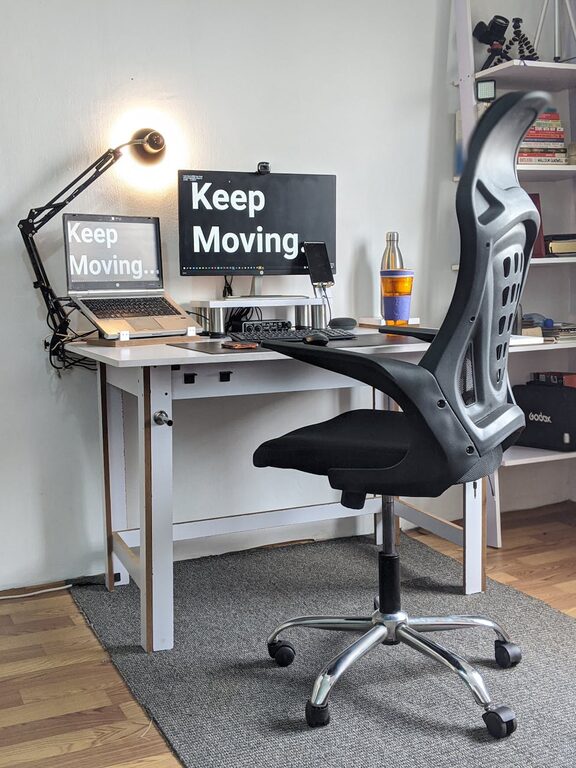
– Choose an adjustable chair that supports your back.
– Set your desk at a height where your arms rest comfortably while typing.
– Consider accessories like a footrest or wrist support to reduce strain.
3. Declutter Your Desk Surface
Your desk should only have what you truly need for daily tasks. Clear away unnecessary items to create a clean and inviting workspace.
Quick decluttering tips:
– Keep only essential items like your computer, notebook, and pen holder.
– Use trays or small organizers for loose items like paper clips or sticky notes.
– Remove personal items that aren’t motivating or necessary to your work.
4. Use Storage Solutions to Stay Organized
Having the right storage options makes it easier to keep your workspace tidy.
– Use shelves or cabinets to store books, files, or supplies.
– Drawer organizers help keep small items separated and easy to find.
– Label boxes and folders to quickly locate documents when needed.
5. Manage Cables Efficiently
Messy cables can create visual chaos and even become safety hazards.
– Use cable clips or organizers to bundle cords together.
– Route cables behind desks or along walls using adhesive cable holders.
– Consider wireless devices where possible to reduce cable clutter.
6. Personalize Your Workspace Thoughtfully
Adding personal touches can make your workspace more inviting and boost your mood while working, but remember to keep it simple to avoid distraction.
– Place a small plant for a touch of greenery and fresh air.
– Hang a picture or art piece that inspires you.
– Use a calendar or board to keep track of deadlines and plans.
7. Keep Essentials Within Reach
Organize your desk so that frequently used items are within easy reach to avoid interrupting your workflow.
– Place your phone, calculator, or other tools near your dominant hand.
– Use desk organizers with compartments to separate items by frequency of use.
– Keep a water bottle handy to stay hydrated without needing to leave your desk often.
8. Establish a Routine to Maintain Your Space
Organization is not a one-time task; it requires regular upkeep.
– Spend a few minutes each day tidying your desk.
– Schedule a weekly or bi-weekly deep clean and reorganize session.
– Review your storage and supplies periodically to remove what you no longer need.
9. Optimize Lighting for Comfort and Focus
Proper lighting reduces eye strain and keeps you alert.
– Balance natural and artificial light for consistent brightness.
– Use task lighting, such as a desk lamp, to illuminate documents or keyboard areas.
– Avoid screen glare by positioning your monitor perpendicular to windows.
10. Utilize Technology to Reduce Paper Clutter
Going digital can help reduce the amount of physical clutter on your desk.
– Scan important documents and utilize cloud storage for easy access.
– Use digital calendars and to-do lists rather than paper notes.
– Use apps and tools to organize files and reminders efficiently.
Conclusion
Organizing your home workspace doesn’t have to be complicated or expensive. By selecting the right spot, decluttering your desk, investing in comfortable furniture, and adopting smart storage and cable management techniques, you can create a space that supports both productivity and comfort. Remember, the best workspace is one that fits your unique needs and helps you feel motivated to do your best work every day. Implement these simple tips and enjoy the benefits of a well-organized home office!
—
If you found these tips helpful, don’t forget to share your own workspace organization ideas in the comments below!